AI Coding Security Checklist for Business Software Before Launch
AI coding can make a prototype appear quickly, but business risk starts when that prototype handles real users, payments, files, customer records, or internal approvals. The right question before launch is not whether the app works once. The right question is whether the system fails safely when real people use it.
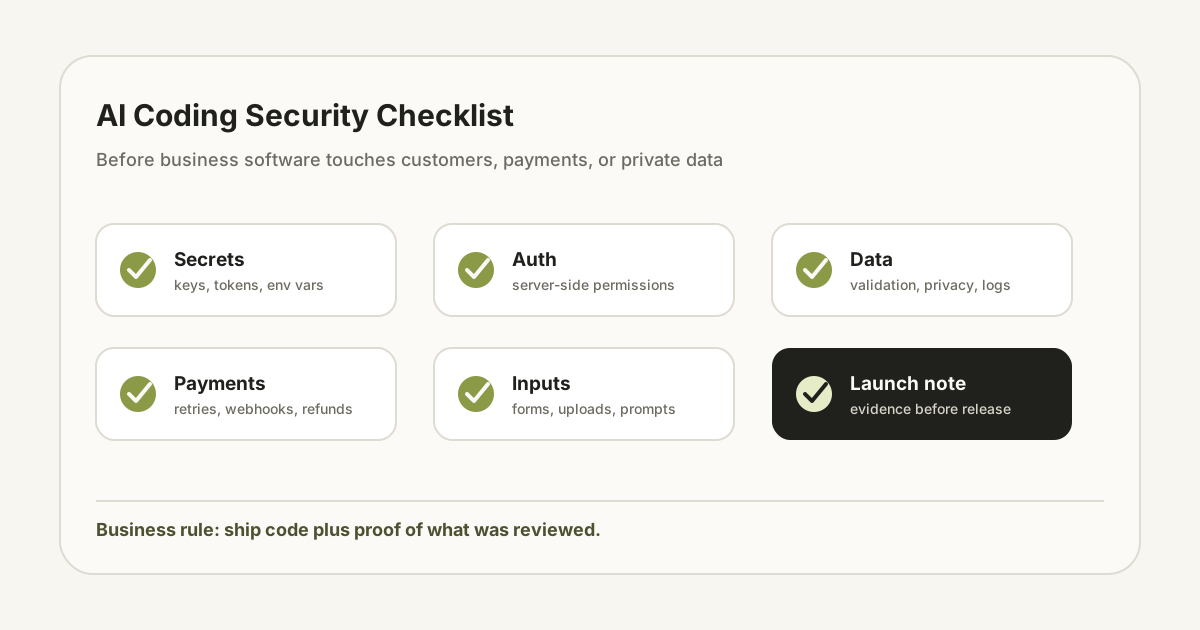
1. Separate prototype risk from production risk
A prototype can be messy because its job is to test whether an idea is worth pursuing. Production software has a different job. It has to protect data, handle bad inputs, survive partial failure, and give the team a way to support users when something goes wrong.
Before launch, classify the system. Is it a public marketing page, an internal workflow, a payment flow, a customer portal, or an AI agent with tool access? Each category needs a different level of review. A public page may only need form validation and spam control. A payment or customer data system needs a much deeper check.
2. Check secrets and environment variables
AI-generated code often looks complete because keys, tokens, and URLs are inserted directly into examples. That is dangerous if any secret reaches the repository, browser bundle, logs, screenshots, or support messages. Every secret should live in the hosting provider's secret store or environment configuration.
Review the code for API keys, private tokens, database URLs, Stripe secrets, email credentials, OAuth secrets, and webhook signing secrets. Also check generated configuration files and test fixtures. A secret in a test file can still leak if the repository is shared.
3. Verify authentication and authorization separately
Authentication asks who the user is. Authorization asks what that user is allowed to do. AI-generated code can easily implement the first and forget the second, especially in dashboards and internal tools.
For every route and API endpoint, ask who can access it. Then ask who can modify, delete, export, upload, approve, invite, refund, or view sensitive records. If the answer is 'the frontend hides the button', the system is not protected. Authorization must be enforced server-side.
4. Treat input as hostile, even inside the company
Forms, file uploads, webhooks, query strings, AI prompts, CSV imports, and admin fields are all inputs. Business teams often assume internal tools can trust internal users, but mistakes and copied data can still break systems.
Validate length, type, required fields, file size, file type, and allowed values. Escape output before rendering user-provided text. If the system sends input into an LLM, define what data is allowed to enter the prompt and what the model is allowed to return.
5. Test payments, emails, and irreversible actions
Payments and emails create external consequences. A bad retry can charge twice. A missing idempotency key can duplicate orders. A wrong recipient field can send private information to the wrong person. An admin action without confirmation can delete important data.
Before launch, test happy path, failure path, retry path, cancellation, webhook replay, duplicate submission, and permission failure. For irreversible actions, add confirmation, logging, and a recovery plan. The test should prove what happens when the third-party service is slow or returns an unexpected status.
6. Require logs that help support, not just logs that exist
A business does not need noisy logs. It needs enough information to answer support questions: who did what, when it happened, which record was affected, whether the external provider accepted the request, and what the user saw.
Do not log secrets, full payment details, raw access tokens, or unnecessary personal data. Use structured events for important actions. For AI agents, log tool calls, input category, output status, and guardrail decisions so the team can investigate bad results.
7. Review dependencies and generated packages
AI coding tools may suggest packages that are outdated, unnecessary, poorly maintained, or too broad for the job. Every new dependency increases future maintenance and security surface.
Review whether the package is actually needed, whether the project already has an equivalent dependency, whether the package is maintained, and whether it runs in the browser or server. For small utilities, custom code may be safer than adding another dependency.
8. Make the launch decision visible
The final review should not be a vague feeling that the app looks fine. Create a launch note: what changed, what was tested, what risks remain, what credentials are used, who can access the system, and how to roll back.
This is where an operator workflow beats unmanaged vibe coding. The output is not just code. The output is code plus evidence that the business can safely use it.
Need AI-built software reviewed before launch?
Send the repo or workflow. We will check the risky paths and turn the launch into a controlled delivery step.
Send request